No Plagiarism!9elUV1HUoubGWPe2Q1aBposted on PENANA
Many users have asked us how to customize their email notifications settings. So here is how:1234 copyright protection2882PENANAcPonrbbRHz 尼
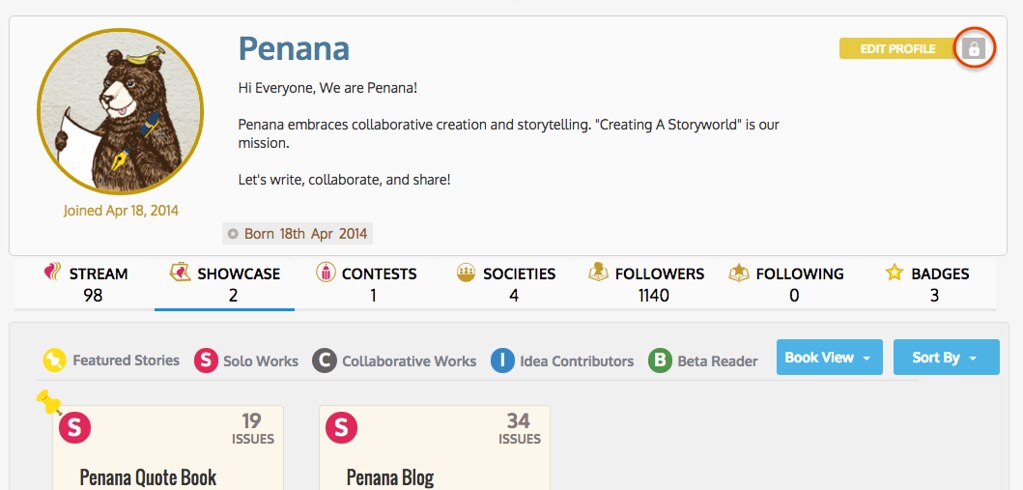
On your profile page, there is a grey locket icon next to the "Edit Profile" button. Clicking on it will lead you to your "Account Settings" page. 1234 copyright protection2882PENANAUg8NfcLwi7 尼
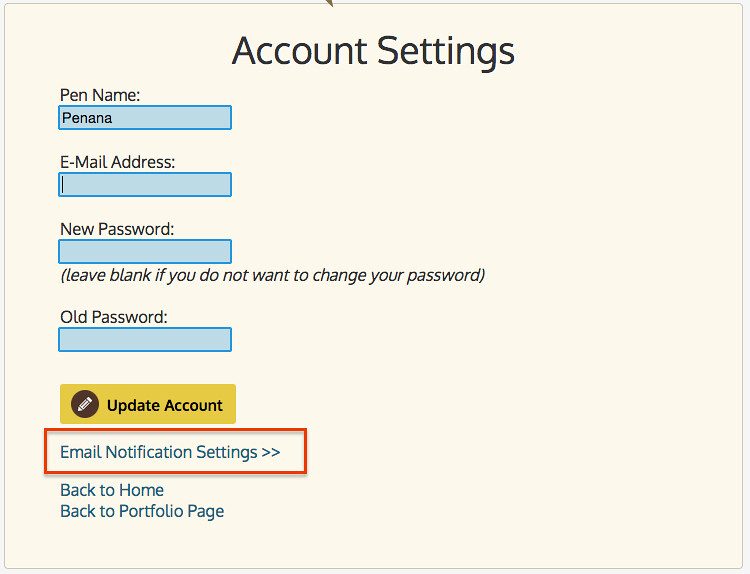
On that page you will see a "Email Notifications Settings" link under the "Update Account" button. 1234 copyright protection2882PENANAJvIPDBVN8F 尼
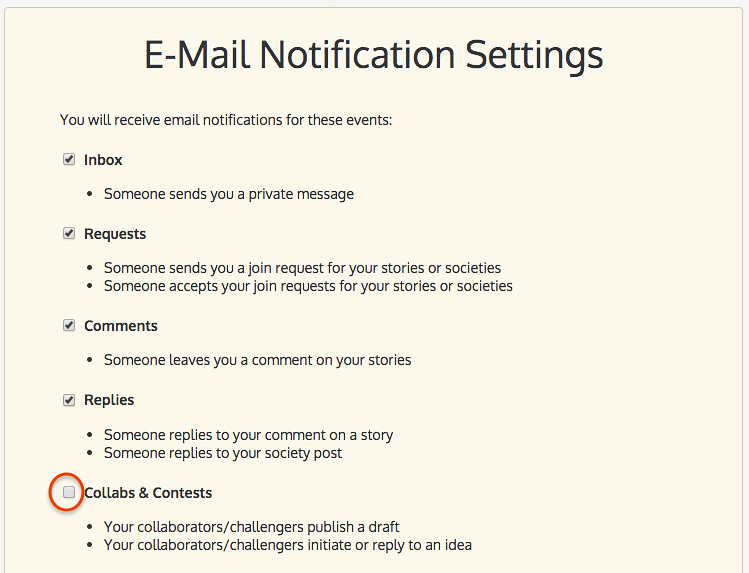
After clicking the link, you can choose not to receive the notifications of a certain category (e.g. Collabs and Contests) by unchecking the corresponding option. 1234 copyright protection2882PENANAOmwhfTxLAV 尼
Please ensure your story does not contain illegal, hateful, inciting, or violence-promoting content, or any infringing, plagiarized, or spam material, and that it complies with Penana’s Terms of Use.
Penana reserves the right to remove any content that violates these rules or causes legal or community risk, and to suspend or terminate related accounts.




 and then Add to home screen.